Adding the Consent block
To add a Consent block:
- Open your CPQ
- Navigate to Content
- Click +
- Select Consent block

The block is added to the bottom by default, but you can move it to any position in your flow.
Customizing the content
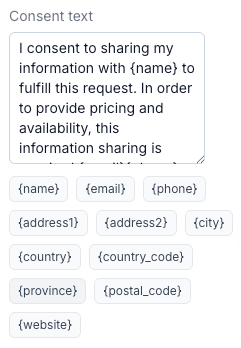
The Consent block includes a default text, which you can modify from the right-side settings panel to match your legal and business requirements.
You can also include dynamic variables in the text. These are automatically populated by the system based on your store settings or, when using Distributors, from the selected distributor’s information.