
Available with any of the following subscriptions: Growth, Enterprise.*
*paid add-on
Before assigning products to a distributor, the products and/or configurators must first be created in HeadQ:
To make a product or configurator available for distributors, it must also be assigned to a Category. Only categorized items can be shared with distributors.
Assign Products and Configurators to a Distributor
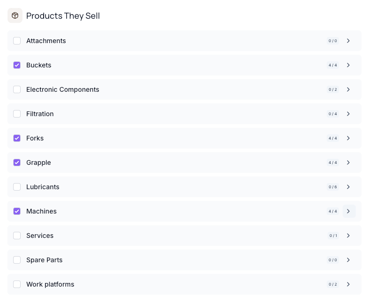
- Navigate to the desired Distributor
- Open the Products They Sell section
- Select either:
- An entire Category, or
- A specific Product or Configurator inside a Category
Once selected, the distributor will gain access to those items.
Install Products or Configurators on the Distributor Website
After selecting a Category, Product, or Configurator, an Installation button will appear next to the item.
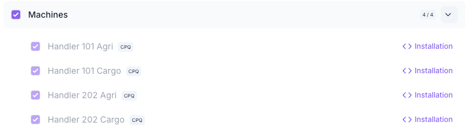
Clicking the button opens a popup containing the installation snippet.
The snippet includes:
- The HeadQ base snippet
- The embed code for the selected Product or Configurator
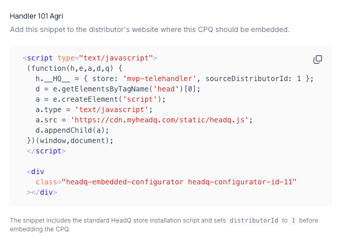
This snippet should be installed on the distributor’s website page where the Product or Configurator should appear.
The HeadQ base snippet does not need to be installed separately, as it is already included in the installation snippet.
Product Installation Options
When installing an individual Product, you can choose how the embedded product behaves on the distributor website.
Available options:
- Request a Quote
- Purchase
- Both
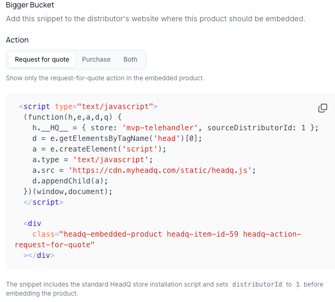
The product is embedded directly into the page using the same layout as a standard HeadQ CPQ configurator.